







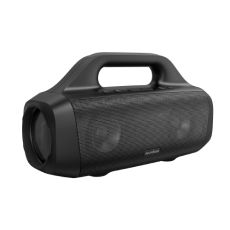


soundcore Boom 2 | Portable Bluetooth Speaker for Bass
Experience Punchy Bass with Advanced Outdoor Bluetooth Speakers.
Color:

- 80W Max Booming Bass: Feel the power of the bass in every song thanks to a racetrack subwoofer for added depth and clarity. And with BassUp™️ 2.0, you can tweak the bass EQ and increase the output from 60W to a staggering 80W max.
- 2.1 Stereo Clarity: A 50W racetrack subwoofer and dual 15W tweeters deliver crisp highs and deep bass, balanced by smart crossover technology, for an immersive audio experience.
- Listen All-Day Anywhere: Boom 2 outdoor speaker keeps the beats playing for 24 hours on a single charge, and with the built-in power bank, you can keep your phone powered up wherever you are.
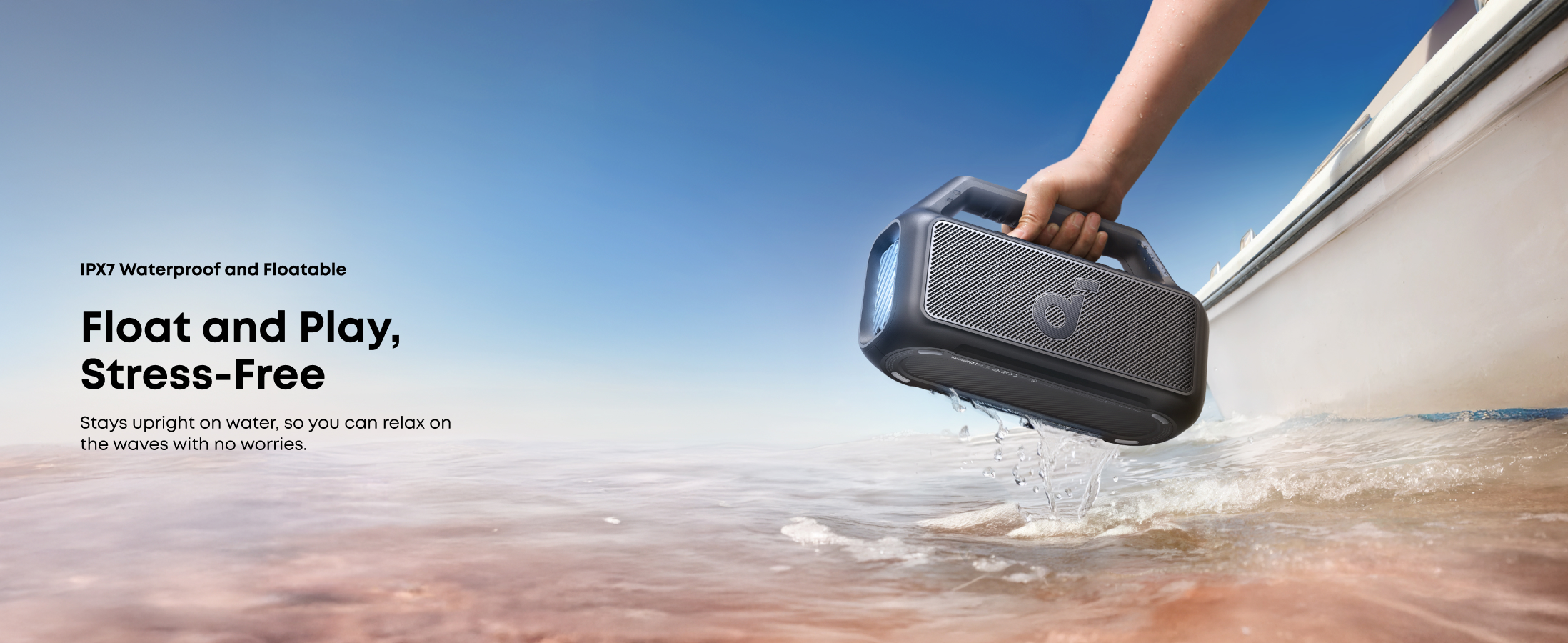
- IPX7 Waterproof and Floatable: Boom 2 outdoor speaker is designed to handle any adventure, so you can listen worry-free at the beach, by the pool, or in the rain.
- Your Sound, Your Way: Boom 2 outdoor speaker lets you fine-tune your audio with customizable pro EQ so every song hits just right. With the upgraded Auracast, you can link multiple speakers to flood any space with immersive sound.
Services and benefits
Want More Perks?
1. Priority Shipping2. Member Pricing on Selected Products 3. Birthday Gift4. Unlock Benefits with soundcoreCredits Learn More
30 Days Price Match
Payment Method
Delivery Method

soundcore Boom 2 | Portable Bluetooth Speaker for Bass
Coming Soon




FAQ
General
1. soundcore Boom 2 Speaker
2. 60 cm USB-C to C Cable
3. Quick Start Guide
Note: Wall charger not included.
Boom 2 supports up to 24 hours of playtime at 50% volume with BassUp and light effects turned off. Battery life will vary depending on the content being played, custom EQs, volume level, etc
The power indicator is red when charging and white when fully charged. When the battery level is below 10%, the power button indicator light will flash red.
soundcore Boom 2 features IPX7 waterproofing and floating, but before submerging it in water, make sure to seal the waterproof cover tightly.
It takes around 5.5 hours to charge with a certified 5V/3A (15W) wall charger.
Boom 2 has a built-in woofer and two tweeters.
No.
60W as standard, but it can reach up to 80W in BassUp 2.0 mode.
On Boom 2, BassUp 2.0 not only boosts the bass at the touch of a button, but also
increases the speaker's output to 80W.
Turn on Boom 2, then hold down the Bluetooth and Volume + buttons for 5-10 seconds.
You'll hear a prompt and the speaker will automatically restart
Yes, Boom 2 is equipped with a microphone.
Boom 2 has a 5W charging output.
Boom 2 Plus supports SBC and MPEG-2 AAC LC Bluetooth codecs.
Bluetooth 6.0.
Bluetooth Related
TWS stands for True Wireless Stereo, which allows two identical speakers to pair and produce stereo sound (left and right channels). Two soundcoreBoom 2 speakers (new version) support TWS. Please note that speakers from different versions cannot be paired via TWS.
1. Turn on both speakers.
2. Hold the Bluetooth button on both speakers until the indicator light flashes white.
3. YYou'll hear a sound to indicate successful pairing. The indicator light on the main speaker will be blue, and the indicator light on the secondary speaker will be white. The main speaker functions as the left channel, and the secondary speaker functions as the right channel.
PartyCast 2.0 lets you connect up to 100+ PartyCast-enabled Bluetooth speakers. Boom 2 supports PartyCast 2.0 functionality.
1. Please make sure that Boom 2 is within the Bluetooth range of your phone.
2. If the device still does not appear, short-press the Bluetooth button on the speaker, then refresh the Bluetooth search on your phone.
3. If the issue persists, reset the speaker by pressing and holding the Bluetooth button and the Volume + button simultaneously for 5-10 seconds. You will hear a prompt, and the speaker will restart automatically.
1. Turn on two PartyCast 2.0 devices.
2. Press the PartyCast button on each device, and the indicator light will turn white.
3. You'll hear a prompt indicating successful pairing.
1. Power on all speakers you wish to connect.
2. Connect one speaker to your smartphone via Bluetooth. (Do not connect the other speakers.)
3. Once connected, press the Auracast button on each speaker. You will hear the Auracast activation tone.
4. The speakers will automatically link together. When pairing is successful, you will hear a confirmation tone.
To improve the Boom 2 user experience, we have upgraded the hardware to support Auracast. The new Auracast version cannot pair with older Partycast-enabled devices. However, it can pair with other Soundcore Auracast-compatible devices.
Boom 2 Plus can pair via Auracast with the following devices:
1. Boom 2 Plus and Boom 2 (Auracast version)
2. Boom Go 3i
3. Rave 3S and Rave 3
Please note: When pairing with Rave 3S or Rave 3, the Boom 2 must be set as the secondary unit.
1. Turn on the Boom 2 and connect it to your phone.
2. Turn on the secondary speaker, ensuring that it is not connected to the phone.
3. Briefly press the PartyCast button on the main speaker until you hear a prompt, then
immediately press the PartyCast button twice quickly to revert to PartyCast 1.0.
4. Long press the Bluetooth button on the secondary speaker to enter PartyCast pairing
mode. At this point, the Bluetooth indicator light will change from flashing blue to
flashing white. Double-press the Bluetooth button to enter PartyCast secondary speaker
mode, and the Bluetooth indicator light will change from slow flashing white to fast
flashing white.
5. When the secondary speaker's Bluetooth light turns white, PartyCast pairing is
successful.
1. Turn on both speakers.
2. Press the PartyCast button on each speaker, and the indicator light will turn white.
3. You'll hear a prompt indicating successful pairing.
Lighting Effect Related
Press and hold the BassUp button for about two seconds to change light effects.
Boom 2 has seven preset light effects.
Double-click the BassUp button to turn off light effects.
1. Do not completely discharge the battery before recharging.
2. Recharge the battery as soon as possible when the low-battery indicator is on.
3. Stop charging once the battery is fully charged.
4. Do not expose the speaker to harsh environments with extremely hot or cold
temperatures.
5. Recharge the speaker regularly (once every 3 months) if it has not been used for a
prolonged period.
Documents & Drivers
1. soundcore Boom 2 Speaker
2. 60 cm USB-C to C Cable
3. Quick Start Guide
Note: Wall charger not included.
Boom 2 supports up to 24 hours of playtime at 50% volume with BassUp and light effects turned off. Battery life will vary depending on the content being played, custom EQs, volume level, etc
The power indicator is red when charging and white when fully charged. When the battery level is below 10%, the power button indicator light will flash red.
soundcore Boom 2 features IPX7 waterproofing and floating, but before submerging it in water, make sure to seal the waterproof cover tightly.
It takes around 5.5 hours to charge with a certified 5V/3A (15W) wall charger.
Boom 2 has a built-in woofer and two tweeters.
No.
60W as standard, but it can reach up to 80W in BassUp 2.0 mode.
On Boom 2, BassUp 2.0 not only boosts the bass at the touch of a button, but also
increases the speaker's output to 80W.
Turn on Boom 2, then hold down the Bluetooth and Volume + buttons for 5-10 seconds.
You'll hear a prompt and the speaker will automatically restart
Yes, Boom 2 is equipped with a microphone.
Boom 2 has a 5W charging output.
Boom 2 Plus supports SBC and MPEG-2 AAC LC Bluetooth codecs.
Bluetooth 6.0.
Specs
| Output | 80W |
| Playtime | 24 Hours (Longest) |
| Sound | Powerful Sound & Ultra Deep Bass |
| Water Resistance | Waterproof (IPX7) |
| Multi-Speaker | TWS & Auracast |
| Recommended For | Backyard BBQs, Garage Workouts, Car Camping |
| Bluetooth Version | 6 |
| Charge Out | ✔️ |
| Special Features | RGB Light Show, Power Bank |
| Floatability | Floatable |
| Portability & Weight | 3.7 lbs / Built-in Handle |
| Charge Out | ✓ |


