









45%
TANIEJ
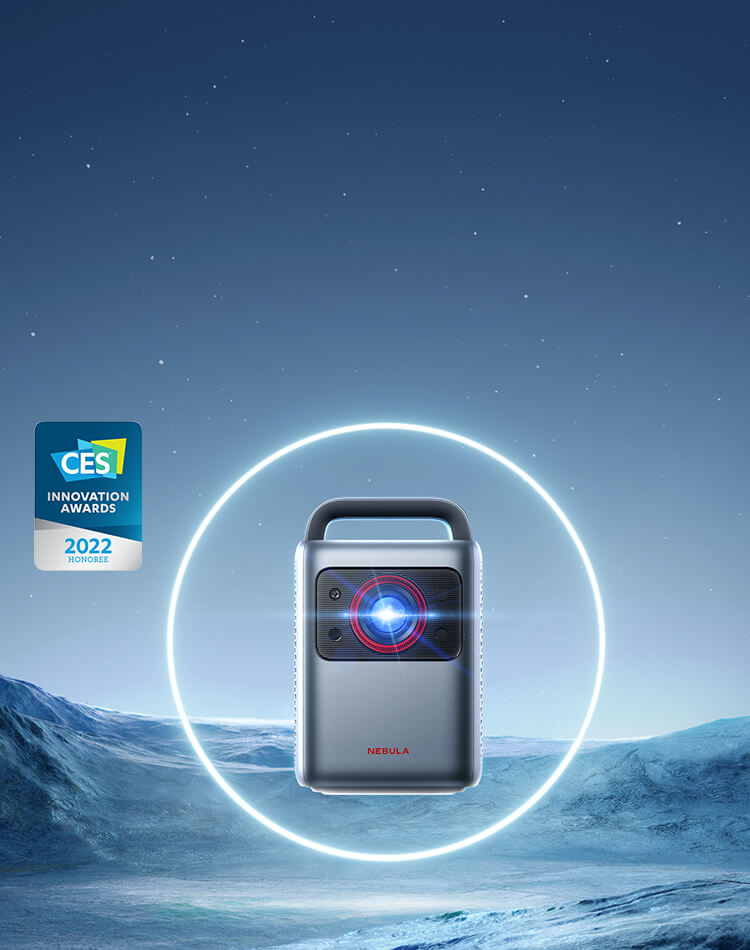
Projektor Cosmos Laser 4K | Przenośny projektor laserowy 4K
Spiesz się! Oferta kończy się wkrótce

- Szczegóły dzięki technologii laserowej: Spraw, by Twoje filmy lśniły dzięki jasności 2200 lumenów ANSI, która jest tak duża, że możesz oglądać je nawet przy włączonym świetle. Następnie podziwiaj każdy piksel w jakości 4K UHD.
- Konfiguracja w mgnieniu oka: Technologia Intelligent Environment Adaptation (IEA) tworzy kino w kilka sekund. Obserwuj, jak urządzenie analizuje pomieszczenie, aby stworzyć idealnie dopasowany ekran bez żadnych zakłóceń.
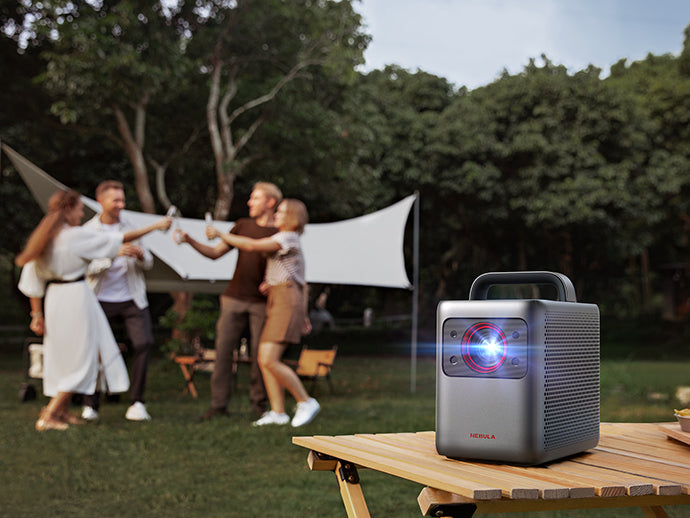
- Przenoś po całym domu: Ergonomicznie zaprojektowany uchwyt pozwala wygodnie przenosić Cosmos Laser 4K do sypialni lub na podwórko – gdziekolwiek chcesz oglądać filmy.
- Dźwięk, który czujesz: Rozkoszuj się słodkim, bogatym brzmieniem ścieżek dźwiękowych filmów z podwójnych głośników wysokotonowych o mocy 5 W i poczuj zwiększoną intensywność dzięki podwójnym głośnikom o mocy 10 W, które zanurzą Cię w akcji.
- Bogaty wybór treści strumieniowych: Android TV 10.0 pozwala oglądać ponad 400 000 filmów i odcinków seriali w ponad 7 000 aplikacji, dzięki czemu nigdy nie zabraknie Ci treści.
Usługi i korzyści

Szybka wysyłka
Metoda płatności
What Influencers Think
What Influencers Think


Unbox Therapy
18.2 Million Subscribers
"I was not expecting this level of brightness on a projector."


JerryRigEverything
7.4 Million Subscribers
"Turn any flat surface into a 4K movie theater? The future is definitely here."


Jonathan Morrison
2.6 Million Subscribers
"This is super dope. It's never been easier to set up and enjoy a movie."
Laser Brightness
ANSI Lumens, watch your movies shine in every scene.



Immerse Yourself in
Laser Brightness
ANSI Lumens, watch your movies shine in every scene.


Laser-Powered Brightness
Make it a movie day with 4K Laser HD quality beamed brightly at 2200 ANSI Lumens.
Ergonomic Handle
Pick up and go to any space with a comfortable, easy-to-grip handle.
Abundant Content
With 4K Streaming Dongle, you're connected to 7,000+ apps and 400,000+ movies, so you'll always find something to watch.
Connect Any Device
Enjoy your movies how you want to watch them with ports designed to connect any device.


Pick Up and Go
10.4 × 8.1 × 6.5in
10.7 lb


Laser Bright, Anytime


Watch Laser Power in Action


Just a tap of a finger gives you access to 400,000+ movies and episodes on 7,000+ apps on Android TV 10.0, including the most popular streaming platforms.

HDR10 heightens the contrast of the image quality so every detail feels dynamic with lighter whites and darker blacks.

Expand your entertainment with Chromecast. Cast your most beloved apps from your Android or iOS devices, Mac, or Windows computer.
 Chromecast built-in
Use your phone, tablet, or USB drive to link with the Cosmos Laser series, so you can stream the content you want without hassle.
IEA Technology Makes Setup a Snap
Automatically create a theater in seconds with IEA Technology analyzing your room and then creating a perfectly-sized screen.


High-Powered Camera
Cosmos Laser uses visible light to identify your viewing space and make the size just right.
Infrared Scanning
Conveniently control your projector from the comfort of your couch.

Time-of-Flight (ToF) Sensors
These powerhouses use a bunch of math to calculate photons and the distance they travel. You won't see the algorithm, but you will notice how accurate and fast it is to set up your projector.

FAQ
2. Connect to the micro-USB connector and micro-HDMI connector.
3. Close the back cover.
- During the setup process, hold the remote near the projector. On the remote, press the "Home" and "Back" buttons simultaneously for about 10 seconds per the on-screen instructions.
- During the pairing process, point the remote at the infrared receiver. Go to Settings > Remotes & Accessories > Add Accessory to search and pair.
Note:
The distance between the remote control and the projector should not exceed 10 m / 33ft.
To reset via the projector, tap the Projector Settings on the top panel of your projector or press the Source button on the remote, then go to Advanced Settings > Back to default
2. Select Nebula as the brand of TV.
3. Complete the setup by following the on-screen instructions.
- Front: The projector is placed on a table in front of the screen. This is the most common way to position the projector for quick setup and portability.
- Rear: The projector is placed on a table behind the screen. A special rear projector screen is required.
- Front Ceiling: The projector is suspended upside-down in front of the screen. A ceiling/wall mount kit is required.
- Rear Ceiling: The projector is suspended upside-down from behind the screen. A special rear projector screen and ceiling/wall mount kit are required.
Notes:
- After turning on the projector, press the Projector Settings button on top of the projector, then go to Advanced Settings > Projector Mode to select a setting.
- It is unnecessary to tilt the projector toward the projection surface. Your projector has autofocus and auto keystone correction to create a well-sized and clear image.
- For more control over projector height, you can place it on a tripod (sold separately).
- The distance between the projector lens and the screen determines the projector screen size.


