


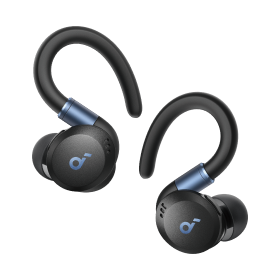







Zestaw Słuchawkowy Xbox
soundcore Xbox headset offers a comfortable and seamless gaming experience with its advanced noise cancellation technology and long battery life.


New Release
Q20i | Słuchawki z aktywną redukcją szumów


New Release
Space One | Słuchawki z aktywną redukcją szumów


Space One Pro | Składane słuchawki nauszne

Immersive Audio for the Most Realistic Gaming
A pair of good headsets for Xbox will boost your overall gaming experience drastically. soundcore Xbox headset, with its comfortable design, durable material, and cutting-edge technologies, promises an immersive gaming time. The noise cancellation technology helps block out the outside noise and offers you a seamless gaming experience. The comfy lightweight ear cuffs hug your ears perfectly and will assist you in enjoying long uninterrupted leisure time without hurting your ears.
soundcore Xbox headset is equipped with the LDAC technology, which means you'll get three times more data than other Bluetooth codecs. This will allow for better preservation of even tiny details in games' background soundscapes and bring life back into your gaming experience. soundcore's Xbox headsets have a powerful battery life of up to 40 hours, so you can be sure that you'll have enough power to last through even the longest gaming sessions. With such long battery life, you'll be able to game for hours on end without having to worry about your headphones running out of power.
soundcore Xbox headset is equipped with the LDAC technology, which means you'll get three times more data than other Bluetooth codecs. This will allow for better preservation of even tiny details in games' background soundscapes and bring life back into your gaming experience. soundcore's Xbox headsets have a powerful battery life of up to 40 hours, so you can be sure that you'll have enough power to last through even the longest gaming sessions. With such long battery life, you'll be able to game for hours on end without having to worry about your headphones running out of power.
FAQ about soundcore Xbox Headset
You can use a Bluetooth transmitter that plugs into the controller's 3.5mm headphone jack for an Xbox one wireless headset. Below are the steps:
Turn on the Bluetooth transmitter by pressing them for a few seconds until you see the LED lights blinking.
Connect it to the Xbox controller through the Bluetooth jack.
Now, turn on the Bluetooth headphones to get ready to connect.
Click on the pair button, and you’ll see a rapidly blinking light which indicates that it’s ready to link.
Just wait for a few seconds, and once the LED lights stabilize, it means that they have already paired successfully.
By following the steps, you can turn any Bluetooth headset into an Xbox Bluetooth headset. For more information on how to connect an Xbox One headset.
Turn on the Bluetooth transmitter by pressing them for a few seconds until you see the LED lights blinking.
Connect it to the Xbox controller through the Bluetooth jack.
Now, turn on the Bluetooth headphones to get ready to connect.
Click on the pair button, and you’ll see a rapidly blinking light which indicates that it’s ready to link.
Just wait for a few seconds, and once the LED lights stabilize, it means that they have already paired successfully.
By following the steps, you can turn any Bluetooth headset into an Xbox Bluetooth headset. For more information on how to connect an Xbox One headset.
Most wireless headsets will last for around 10 hours on a single charge. However, this will vary depending on the make and model of the headset, as well as how you are using it. For example, if you are listening to music as well as gaming, then the battery will drain faster.
soundcores' Xbox headsets have a powerful battery life of up to 40 hours. With such a long-lasting power supply and quick charge time (5 minutes), it's easy for gamers who want an edge in competition or just need more playtime than their current setup offers!
soundcores' Xbox headsets have a powerful battery life of up to 40 hours. With such a long-lasting power supply and quick charge time (5 minutes), it's easy for gamers who want an edge in competition or just need more playtime than their current setup offers!
It’s important to know what type of connection you need. There is a range of different wired headsets that can be used as the Xbox Series X/S headsets. You can connect your headphones no matter wired or wireless to the Xbox controller to connect to the game. However, if you have an Xbox One controller that doesn't feature a 3.5mm jack, you'll need to purchase an adapter that comes with the 3.5mm jack to connect it to the Xbox One. With the right connection, you'll be able to enjoy immersive gaming audio whether you're playing on the latest console or one from previous generations.


