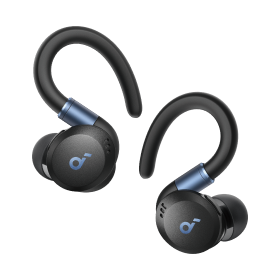

P2 Mini | Mini True Wireless Earbuds with Bass
Powerful Sound with More Bass for Mesmerizing Listening
€29.99
Color:
- Incredible Sound Loved By 20 Million+ People
- Stunning Sound: P2 Mini true wireless earbuds have oversized triple-layer 10mm drivers to fuel powerful sound with 50% more bass for a mesmerizing listening experience.
- 3 EQ Modes: soundcore Signature, the default EQ, delivers well-balanced sound, while Bass Booster enhances bass-heavy music, and Podcast makes voices stand out clearly. To switch to a different mode, quickly press the right earbud 3 times.
- Featherweight Fit: The tiny true wireless earbuds weigh just 0.16oz (4.6g), which is 10% lighter than standard earbuds. They’re so small and light that they feel practically weightless in your ears.
- AI-Enhanced Calls: Built-in microphones on P2 Mini true wireless earbuds are equipped with an AI algorithm to enhance voice pick up and ensure you’re heard clearly by the other end.
Services and benefits

Fast, Shipping
Want More Perks?
1. Priority Shipping2. Member Pricing on Selected Products 3. Birthday Gift4. Unlock Benefits with soundcoreCredits Learn More
Payment Method
P2 Mini | Mini True Wireless Earbuds with Bass
€29.99


Lightweight Design
Weighing just 0.16oz (4.4g), they feel almost weightless as they sit nice and snug in your ears.
Single Earbud Mode
If you want to use one earbud, simply take one from the case, shut the lid, and start listening.


Compare Soundcore Headphones
P2 Mini | P40i | P30i | P20i | A20i | A3i | Liberty 4 NC | |
| Sound | 10mm triple-layer drivers | 11mm composite drivers | 22 EQs, Custom EQs | 10mm driver | 6mm driver | Customized EQ | 11mm custom-made driver |
| Playtime Per Charge | 8 Hours | 12 hours | 10 hours | 10 hours | 9 hours | 9 hours | 10 hours |
| Playtime with Charging Case | 32 Hours | 60 hours | 45 hours | 30 hours | 28 hours | 36 hours | 50 hours |
| Fast Charging | 10 min = 1 hour | 10 mins = 5 hours | 10 min = 2 hours | 10 minutes = 2 hours | 10 minutes = 2 hours | 10 min = 2 hours | 10 mins = 4 hours |
| Waterproof | IPX5 | IPX5 | IP54 | IPX5 | IPX5 | IPX5 | IPX5 |
| Bluetooth | Bluetooth 5.3 | Bluetooth 5.3 | Bluetooth 5.4 | Bluetooth 5.3 | Bluetooth 5.3 | Bluetooth 5.2 | Bluetooth 5.3 |
| Calls | 2 mics with AI alroghim | 6 mics with AI algorithm | 4 mics with AI algorithm | 2 mics with AI alroghim | 2 mics with AI alroghim | 4 mics with AI algorithm | 6 mics with AI algorithm |
| Recommended For | Calls, commute, travel | Calls, commute, travel | Calls, commute, travel | Calls, commute, travel, sports | Calls, commute, travel, sports | Calls, commute, travel, sports | Calls, commute, travel, sports |
FAQ
Operation
Power on: Please remove the protective film covering the connectors on the earbuds and place them back on the charging case to power on.
- The earbuds will turn on automatically when you open the lid of the charging case. Power off:
- Put the earbuds back into the charging case and close the lid to turn off the earbuds.
- The earbuds will also turn off automatically when placed outside the case and have been disconnected from your device for 10 minutes.
- The earbuds will turn on automatically when you open the lid of the charging case. Power off:
- Put the earbuds back into the charging case and close the lid to turn off the earbuds.
- The earbuds will also turn off automatically when placed outside the case and have been disconnected from your device for 10 minutes.
Yes, you can manually turn the individual earbuds on or off by long tapping for 8 seconds to turn off the earbud, or long tapping for 3 seconds to turn on the earbud.
Avoid touching the area near the logo.
1. Please make sure you are tapping the right spot on Life P2 Mini (where the logo is printed).
2. Please make sure each tap is in the right spot within 1 second when you double or triple tap.
Yes, just take one earbud out from the charging case to use.
If you are using two earbuds, you can put either one of the earbuds back into the charging case and continue using the other one on its own.
1. maker sure you switch the eq mode successful, triple tap the right ear buds and hear a "di" sound.
2. if your original music don't have bass, the eq won't tell much difference, depends on your music.
3. maker sure you are using 2 earbuds, 3 eq modes don't work for single ear bud.
2. if your original music don't have bass, the eq won't tell much difference, depends on your music.
3. maker sure you are using 2 earbuds, 3 eq modes don't work for single ear bud.
Triple tap the Left earbud to activate when using both earbuds. And when using a single bud, triple tap the bud to activate.
Triple tap the right earbud to switch between Signature mode, Bass Booster mode, and Podcast mode, you will hear a tone for each successful switch. The switching of EQ modes only work when in stereo mode. (When paired with a new device, the earbuds will be in default mode — Signature Mode.
1) Use the earbuds regularly to avoid over-discharge which can harm the lifespan of the earbuds' battery. We recommend using Life P2 Mini at least once a month.
2) Charge the earbuds after you use them. In order to improve the battery’s lifespan, do not always wait until there's 20% power remaining or less to charge them.
3) If you intend to store the charging case, make sure there are at least 2 indicators that light up on the case to ensure there is enough power.
4) Open the lid of the charging case at least once a month to ensure the earbuds are still working.
5) Regularly clean the charging pins on the earbuds and charging case.
6) Keep the ear tips clean.
7) If Life P2 Mini comes into contact with liquid, use a hairdryer on the 'cool' setting to dry the case.
2) Charge the earbuds after you use them. In order to improve the battery’s lifespan, do not always wait until there's 20% power remaining or less to charge them.
3) If you intend to store the charging case, make sure there are at least 2 indicators that light up on the case to ensure there is enough power.
4) Open the lid of the charging case at least once a month to ensure the earbuds are still working.
5) Regularly clean the charging pins on the earbuds and charging case.
6) Keep the ear tips clean.
7) If Life P2 Mini comes into contact with liquid, use a hairdryer on the 'cool' setting to dry the case.
Bluetooth
Step 1: Please make sure you remove the protective film from the earbuds when you're using it for the first time.
Step 2: Put the earbuds back in the charging case and close the lid to power on the earbuds.
Step 3: Open the lid of the charging case and the LEDs will flash white in sequence continuously. (You don't have to take out your earbuds)
Step 2: Put the earbuds back in the charging case and close the lid to power on the earbuds.
Step 3: Open the lid of the charging case and the LEDs will flash white in sequence continuously. (You don't have to take out your earbuds)
Place the earbuds in the charging case and close the lid for 10 seconds. Then open the lid and try pairing again.
If that doesn't work, try the following:
1) Forget the Bluetooth pairing record on your device if you have previously connected the earbuds.
2) Reset the earbuds. See "How do I reset Life P2 Mini?" for more information.
If that doesn't work, try the following:
1) Forget the Bluetooth pairing record on your device if you have previously connected the earbuds.
2) Reset the earbuds. See "How do I reset Life P2 Mini?" for more information.
Some environments (such as airports, offices, crowded public spaces etc.) can interfere with your Bluetooth connection. To optimize your Bluetooth connection:
1) Ensure that your phone is on the right hand side.
2) Download videos and songs instead of streaming.
3) If you have an Android phone, temporarily disable unnecessary app traffic settings on your phone.
Or you can try:
- Putting the earbuds back in the charging case and close it to re-pair your earbuds.
- Resetting the earbuds. See "How do I reset Life P2 Mini?"
- Try a different device if possible.
1) Ensure that your phone is on the right hand side.
2) Download videos and songs instead of streaming.
3) If you have an Android phone, temporarily disable unnecessary app traffic settings on your phone.
Or you can try:
- Putting the earbuds back in the charging case and close it to re-pair your earbuds.
- Resetting the earbuds. See "How do I reset Life P2 Mini?"
- Try a different device if possible.
If you want to pair Life P2 Mini with a second device, please use one of the following methods:
- Turn off Bluetooth on your current device so the earbuds can enter pairing mode.
Or
1) Place the earbuds back into the charging case (Make sure the earbuds are powered on and keep the lid open).
2) To enter pairing mode, press and hold the button on the case for 3 seconds until the 3 LED indicators flashes white in sequence continuously.
Please do not remove the earbuds from the case before pairing them with a second device.
- Turn off Bluetooth on your current device so the earbuds can enter pairing mode.
Or
1) Place the earbuds back into the charging case (Make sure the earbuds are powered on and keep the lid open).
2) To enter pairing mode, press and hold the button on the case for 3 seconds until the 3 LED indicators flashes white in sequence continuously.
Please do not remove the earbuds from the case before pairing them with a second device.
- Set up both the microphone and speaker as "Hands-Free".
Note:
- If the microphone is set as "Hands-Free" and the speaker is set as "Stereo," you will hear the person on the other end, but they cannot hear you.
- If the microphone is set as "Consistent with the System" and speaker is set as "Stereo," the computer's microphone will pick up your voice instead of Life P2 Mini.
- When making calls, "Hands-Free" mode should be selected. For music listening, "Stereo" mode should be used.
Note:
- If the microphone is set as "Hands-Free" and the speaker is set as "Stereo," you will hear the person on the other end, but they cannot hear you.
- If the microphone is set as "Consistent with the System" and speaker is set as "Stereo," the computer's microphone will pick up your voice instead of Life P2 Mini.
- When making calls, "Hands-Free" mode should be selected. For music listening, "Stereo" mode should be used.
1) Place the earbuds in the charging case and leave the lid open.
2) Press and hold the button on the case for 10 seconds until the 3 LED indicators blink white 3 times and then flashes white in sequence continuously. This confirms that the reset was successful and your earbuds have entered pairing mode.
Sound
SBC and AAC.
1. Make sure you switch on the EQ mode successfully. Triple tap the right earbuds and you will hear a sound.
2. If your original music doesn't have bass, it won't tell much difference. To distinguish between the EQ modes will depend on your music.
3. Make sure you are wearing both earbuds because the 3 EQ modes will not work if you use a single earbud.
2. If your original music doesn't have bass, it won't tell much difference. To distinguish between the EQ modes will depend on your music.
3. Make sure you are wearing both earbuds because the 3 EQ modes will not work if you use a single earbud.
Call
1. Make sure you're wearing the earbuds in the correct position so that the mic is directed towards your mouth.
2. Make sure your earbuds are connected to your device and adjust the volume on your device until you hear the voice.
3. When using two earbuds for calls, please make sure to talk using the right earbud as only that mic works for calls when in stereo mode.
4. If you make a call via an app, please check if the internet is good enough or if you have the correct settings on your device.
5. As Life P2 Mini has AI noise reduction for calls, the volume of your voice may be lower in noisy environments.
2. Make sure your earbuds are connected to your device and adjust the volume on your device until you hear the voice.
3. When using two earbuds for calls, please make sure to talk using the right earbud as only that mic works for calls when in stereo mode.
4. If you make a call via an app, please check if the internet is good enough or if you have the correct settings on your device.
5. As Life P2 Mini has AI noise reduction for calls, the volume of your voice may be lower in noisy environments.
Charging
About 2 hours.
About 3 hours.
1) Confirm that the charging case has power left (open the lid of the charging case to check if there is any indication on the LEDs).
2) Put the left earbud in the charging case and if the left LED flashes twice, that means the earbud is connected to the case. Similarly, when you place the right earbuds in the case, the right LED will flash twice when connected.
3) Close the lid after placing the earbuds in the charging case and start charging.
2) Put the left earbud in the charging case and if the left LED flashes twice, that means the earbud is connected to the case. Similarly, when you place the right earbuds in the case, the right LED will flash twice when connected.
3) Close the lid after placing the earbuds in the charging case and start charging.
1) Confirm if the charging case has power left (open the charging case lid to check if there are any indications on the LEDs).
2) Clean the charging pins with a dry cloth and an alcohol-based disinfectant. This is to ensure all charging contact pins on the earbuds and charging case are completely clean and dry of sweat and water. Then, put the earbuds correctly into the case. When you put the earbuds back into the charging case, the first and third lights on the case will flash twice to indicate both earbuds are charging normally.
3) If they still do not turn on, put the earbuds back into the charging case and close the lid for 6 seconds, and try opening the lid again.
2) Clean the charging pins with a dry cloth and an alcohol-based disinfectant. This is to ensure all charging contact pins on the earbuds and charging case are completely clean and dry of sweat and water. Then, put the earbuds correctly into the case. When you put the earbuds back into the charging case, the first and third lights on the case will flash twice to indicate both earbuds are charging normally.
3) If they still do not turn on, put the earbuds back into the charging case and close the lid for 6 seconds, and try opening the lid again.
When Life P2 Mini encounters the following problems, 3 LEDs will flash quickly to stop charging to enter protection mode. Please unplug the USB cable and place Life P2 Mini aside for at least half an hour then try again.
1. Short circuit, overcurrent or overheating.
2. Battery temperature is too high or too low.
1. Short circuit, overcurrent or overheating.
2. Battery temperature is too high or too low.
Documents & Drivers
Power on: Please remove the protective film covering the connectors on the earbuds and place them back on the charging case to power on.
- The earbuds will turn on automatically when you open the lid of the charging case. Power off:
- Put the earbuds back into the charging case and close the lid to turn off the earbuds.
- The earbuds will also turn off automatically when placed outside the case and have been disconnected from your device for 10 minutes.
- The earbuds will turn on automatically when you open the lid of the charging case. Power off:
- Put the earbuds back into the charging case and close the lid to turn off the earbuds.
- The earbuds will also turn off automatically when placed outside the case and have been disconnected from your device for 10 minutes.
Yes, you can manually turn the individual earbuds on or off by long tapping for 8 seconds to turn off the earbud, or long tapping for 3 seconds to turn on the earbud.
Avoid touching the area near the logo.
1. Please make sure you are tapping the right spot on Life P2 Mini (where the logo is printed).
2. Please make sure each tap is in the right spot within 1 second when you double or triple tap.
Yes, just take one earbud out from the charging case to use.
If you are using two earbuds, you can put either one of the earbuds back into the charging case and continue using the other one on its own.
1. maker sure you switch the eq mode successful, triple tap the right ear buds and hear a "di" sound.
2. if your original music don't have bass, the eq won't tell much difference, depends on your music.
3. maker sure you are using 2 earbuds, 3 eq modes don't work for single ear bud.
2. if your original music don't have bass, the eq won't tell much difference, depends on your music.
3. maker sure you are using 2 earbuds, 3 eq modes don't work for single ear bud.
Triple tap the Left earbud to activate when using both earbuds. And when using a single bud, triple tap the bud to activate.
Triple tap the right earbud to switch between Signature mode, Bass Booster mode, and Podcast mode, you will hear a tone for each successful switch. The switching of EQ modes only work when in stereo mode. (When paired with a new device, the earbuds will be in default mode — Signature Mode.
1) Use the earbuds regularly to avoid over-discharge which can harm the lifespan of the earbuds' battery. We recommend using Life P2 Mini at least once a month.
2) Charge the earbuds after you use them. In order to improve the battery’s lifespan, do not always wait until there's 20% power remaining or less to charge them.
3) If you intend to store the charging case, make sure there are at least 2 indicators that light up on the case to ensure there is enough power.
4) Open the lid of the charging case at least once a month to ensure the earbuds are still working.
5) Regularly clean the charging pins on the earbuds and charging case.
6) Keep the ear tips clean.
7) If Life P2 Mini comes into contact with liquid, use a hairdryer on the 'cool' setting to dry the case.
2) Charge the earbuds after you use them. In order to improve the battery’s lifespan, do not always wait until there's 20% power remaining or less to charge them.
3) If you intend to store the charging case, make sure there are at least 2 indicators that light up on the case to ensure there is enough power.
4) Open the lid of the charging case at least once a month to ensure the earbuds are still working.
5) Regularly clean the charging pins on the earbuds and charging case.
6) Keep the ear tips clean.
7) If Life P2 Mini comes into contact with liquid, use a hairdryer on the 'cool' setting to dry the case.


