









What Is Auracast? How It Works and What You Need to Know
Imagine you could share your favourite music or podcast with friends without handing them your headphones, or listen to TV sound at the gym directly through your own headphones. This is what Auracast promises – a breakthrough Bluetooth technology that will revolutionise our audio experiences. If you're wondering how to pair multiple Bluetooth speakers with your phone in a simple way or what exactly Auracast is and how it works, you're in the right place.
In this guide, we'll explain everything you need to know about Auracast Bluetooth Audio technology – from how it works and key applications, to devices that support it. You'll also learn how this technology will make your new party speaker part of a much larger audio system, forever changing the way we listen to sound in groups.
What Is Auracast and Why Does It Matter?
Auracast™ is a next-generation audio streaming feature based on Bluetooth LE Audio (Low Energy Audio) technology, developed by the Bluetooth Special Interest Group (SIG). Unlike traditional Bluetooth — which pairs one device with one receiver — Auracast enables "one-to-many" audio transmission. This means that one phone, TV, or party speaker can stream sound to multiple Bluetooth speakers or headphones simultaneously.
Why this is a breakthrough solution: • Share sound with multiple users without physical connections. • Clearly hear public announcements or TV sound in noisy places. • Stream synchronised audio to multiple devices simultaneously. • Adjust volume and device preferences individually for each user.
Think of Auracast like a personal radio station — you "tune in" to the sound you want to hear using your own headphones, without cable tangles and the need for classic pairing.
How Does Auracast Work?
Now that you know what Auracast is, you're probably wondering how it actually works. In reality, it's quite simple, and the technology behind it is both intelligent and efficient.
Auracast uses three main components: broadcaster, assistant, and receiver.
Here's a technical look at the process:
Transmission start: A device such as a smartphone, TV, or speaker begins sending a Bluetooth LE Audio stream using the LC3 codec.
Scanning: Your device (via Auracast assistant, e.g., an app on your phone) detects available streams — just like connecting to a Wi-Fi network.
Joining the stream: You select a stream manually or via QR code/link, and your headphones or speaker immediately join the listening session.

Alternatively, you can skip scanning by joining the broadcast via shared link or QR code. For example, if your friend is listening to a podcast from their phone, they can share a link or code so you can join their Auracast channel using your headphones.
Public and Private
Auracast supports both public and private broadcast channels. Public streams are available to anyone, whilst private broadcasts require encryption, similar to a password-protected Wi-Fi network. Multiple Auracast streams can coexist in the same space without interference, ensuring smooth audio access in places such as airports, cinemas, and conference halls.
Low Latency
Thanks to the use of the LC3 codec, latencies in Auracast technology are extremely low, in some cases less than 40 milliseconds (ms). Such low latency ensures perfect audio synchronisation, which is particularly important in scenarios such as live lectures, presentations, or watching video without annoying lip-sync issues.
Key Auracast Applications
Auracast is more than just a cool way to stream sound — it opens up a range of exciting possibilities in various locations. Here are some of the key areas where Auracast will make a real impact:
Public Places
Imagine you're at a crowded airport or busy train station and need to hear important announcements. With Auracast, sound can be transmitted directly to your Bluetooth headphones, guaranteeing you'll never miss crucial information, despite the surrounding noise. The same applies to stadiums or arenas, where you can "tune in" to sports commentary or music according to your own preferences.
Group Listening
Have you ever wanted to listen to music or watch a film with friends, but each of you was in a different place or simply preferred to use your own headphones? With Auracast, everyone can join the same audio broadcast, enjoying identical sound whilst maintaining their own device settings and volume. This is the perfect solution for social gatherings, film nights, or shared journeys. Instead of wondering whether a traditional karaoke speaker with microphone or another solution would be better, Auracast allows everyone to enjoy the sound without crowding around one device.
Better Accessibility
For people with hearing impairments, Auracast offers an incredible opportunity for clearer and more personalised sound. In places such as cinemas, museums, or lecture halls, Auracast allows direct connection to the audio stream for perfect clarity. This makes public sound sources more accessible, and everyone, regardless of individual hearing needs, can fully participate in content reception.
Parties and Home Entertainment
Want to effortlessly synchronise multiple for a party? Unlike traditional pairing, which limits you to one or two devices, Auracast allows you to control all connected units from a single smartphone. This means better sound quality, lower latency, and more stable connection between multiple speakers — an ideal solution for filling large spaces with sound.
With Auracast-enabled speakers, you can also take your home cinema to the next level. Instead of generally wondering what a Bluetooth speaker is, it's worth looking at specific possibilities: Auracast connects multiple devices into a synchronised system that fills the entire room with sound. Unlike older standards that may generate latency or require complicated configuration, Auracast keeps everything in perfect harmony. This makes films, games, and music streaming more immersive than ever before.

Fitness Environment and Gyms
In fitness centres or during group classes, you often hear a mixture of different sounds — from instructor instructions and muted TVs to music — which makes concentration difficult. With Auracast, you can tune into a specific audio stream that suits you best, whether it's training instructions, music, or even live commentary. This is a way to a more personalised workout without worrying about overlapping ambient sounds.
Which Devices Support Auracast?
For a device to support Auracast, it must be equipped with Bluetooth 5.2 or newer and support the Public Broadcast Profile (PBP) within the Bluetooth Low Energy (LE) Audio standard. Although Bluetooth 5.2 technology (introduced in 2020) is available in a wide range of modern devices, not all of them support Auracast.
Currently in the Soundcore range, the Auracast feature is available exclusively in the Rave 3S model. Other Soundcore speakers, such as those equipped with PartyCast functionality, are not currently compatible with Auracast.
So which devices can actually use this innovative technology? Here's a list of Auracast-compatible devices:
Auracast Broadcasters (send signal):
An Auracast broadcaster is a device that sends an audio stream. This can be a smartphone, laptop, TV, or even a public address system.
Many modern smartphones and tablets are already equipped with Bluetooth LE Audio and Auracast. For example, Samsung has confirmed that Galaxy S23 and newer models, Galaxy Z Fold 5/6, Galaxy Z Flip 5/6, Galaxy Tab S9 FE, and older devices with One UI 6.1 update will support this feature.
Auracast Assistants (scanning and connecting):
Auracast assistants help search for available broadcasts and connect to them. Many devices, such as smartphones and tablets, have native support for this function, but you can also use apps from companies such as JBL, Sennheiser, or Soundcore. These apps act as your personal guide, helping you switch between multiple broadcasts in real-time — similar to how you connect to Wi-Fi networks in public places.
Auracast Receivers (receiving signal):
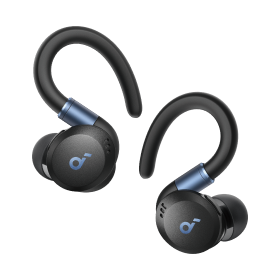
After joining an Auracast broadcast, you need a compatible receiver. These can be over-ear headphones, earbuds, speakers, or even hearing aids.
The Soundcore brand has already started introducing devices that support this technology, and the Rave 3S model is the first party speaker to support it.
Auracast in Action: Soundcore Rave 3S Speaker
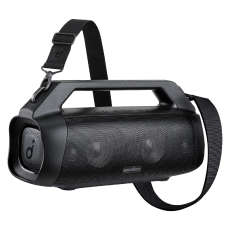
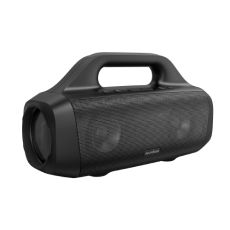
The model, equipped with the latest Auracast technology, is a 200W Bluetooth speaker with AI karaoke function. It was designed with immersive sound and group audio sharing in mind. Using Auracast, you can control all connected Rave 3S speakers with one device. Additionally, sound quality is higher thanks to lower latency and more stable connection compared to older wireless transmission protocols.
To use Rave 3S with Auracast, simply turn on each speaker and press the Auracast button to pair them automatically. When you connect two Rave 3S speakers, they will work in stereo mode (left and right channel), and you can switch channels by double-clicking the Auracast button on either of them. If you connect three or more Rave 3S speakers, they will emit unified mono sound, providing more immersive experiences in larger spaces.
FAQs
What is the difference between Auracast and Bluetooth?
Auracast is a new Bluetooth Low Energy (LE) Audio feature that allows one device to broadcast sound to multiple receivers simultaneously. The traditional profile that most people asking what a Bluetooth speaker is associate with requires "one-to-one" pairing. This makes Auracast ideal for public spaces, hearing assistance systems, and group audio sharing, whilst standard Bluetooth is mainly used for private connections between two devices.
How to connect speakers to Auracast?
To connect speakers to Auracast, first ensure they are compatible with this technology, such as the Rave 3S model from Soundcore. Open the Auracast assistant app or go to Bluetooth settings on your device to search for available broadcasts. When you find the stream you're interested in, select it and indicate your speakers from the list of available devices. After a moment, you'll be connected and ready to listen!
How many devices can be connected to one Auracast broadcaster?
Auracast theoretically supports an unlimited number of connected devices, provided they are within range and compatible with the broadcast. This makes it ideal for large-scale applications such as public announcements, hearing assistance systems, and multi-user streaming.
What is the range of Auracast technology?
Auracast™ operates based on the Bluetooth Low Energy (LE) standard and offers significantly greater transmission range than traditional point-to-point Bluetooth connections. Although theoretical range can be up to 100 metres in open space, typical effective range indoors is about 20–30 metres, depending on obstacles and environmental factors. This extended range makes Auracast perfect for large public spaces such as airports, gyms, museums, or outdoor venues.
Auracast vs PartyCast: What are the differences?
Although both Auracast and PartyCast allow playing sound on multiple speakers simultaneously, these are completely different technologies:
| Feature | Auracast | PartyCast |
| Developed by | Bluetooth SIG | soundcore |
| Compatibility | Requires Bluetooth LE Audio | Works across PartyCast-enabled Soundcore speakers |
| Pairing Method | Broadcast-based pairing | App/manual pairing |
| Sound Effect | May share similar audio cues | Uses distinct pairing process |
Note: Auracast and PartyCast are separate technologies. Although the buttons used on certain speakers may look or sound similar, Auracast is only functional on models specifically equipped with the Bluetooth LE Audio standard and Auracast support, such as the Rave 3S. Attempting to use Auracast on non-compatible models will not work.
Conclusion
As we've established, Auracast is not just another Bluetooth update; it's a real breakthrough in the world of wireless sound. By enabling multiple devices to connect to the same audio stream without cumbersome pairing, this technology increases accessibility, improves shared listening experiences, and revolutionises public broadcasts.
Whether you want to share media with friends, synchronise multiple speakers for a party, or need clearer sound in a bustling public space — knowing what Auracast is and how it works will allow you to fully exploit the potential of this innovative technology.


